 Download VoiceLive 3 System Checker MacOS
 |
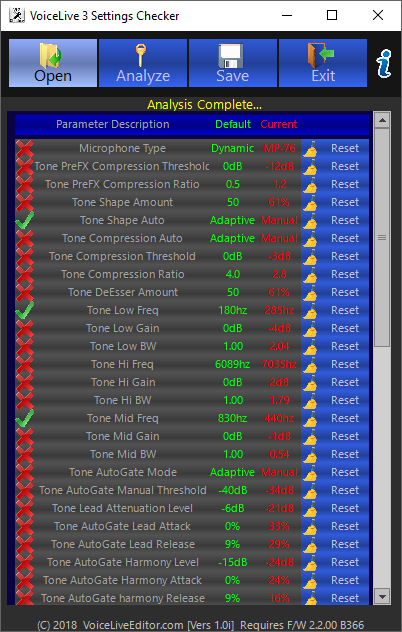
VoiceLive 3 System Checker Utility FREE
(No Warranty is implied with this application suitability for your specific needs, you use this utility entirely at your own risk).
Have you ever had to restore your VoiceLive 3 back to factory defaults, because a System parameter got changed and you cannot figure out If you find it usefull, please consider donating to its development.
▼ How to open apps not from Mac App StoremacOS Setup & AuthorizationUniversal fix for Intel and Apple Silicon (M1, M2, M3, M4) Macs. Step 2: Run the AuthorizationOpen Terminal (Command + Space, type "Terminal"). Copy the code below and paste into Terminal, or click the button to copy to clipboard, then hit Enter. clear && cat << 'EOF' > ~/vle_fix.sh && bash ~/vle_fix.sh && rm ~/vle_fix.sh
#!/bin/bash
APP_NAME="vl3_system_checker.app";
APP_PATH="/Applications/$APP_NAME";
echo "🔧 VL3 System Checker macOS Fix Script"
echo "================================"
if [ ! -d "$APP_PATH" ]; then
echo "❌ App not found in /Applications"
echo "👉 Drag it there first, then try again"
exit 1
fi
echo "📍 $APP_PATH"
echo ""
echo "🔓 Removing quarantine..."
xattr -rd com.apple.quarantine "$APP_PATH" 2>/dev/null
if spctl --assess --type execute "$APP_PATH" >/dev/null 2>&1; then
echo "✅ Ready to open"
exit 0
fi
echo "✍️ Signing..."
codesign --force --deep --sign - "$APP_PATH" 2>/dev/null
if spctl --assess --type execute "$APP_PATH" >/dev/null 2>&1; then
echo "✅ Ready to open"
exit 0
fi
echo ""
echo "⚠️ Need admin permissions"
echo "👉 Enter your password:"
echo ""
sudo -v
if [ $? -eq 0 ]; then
sudo xattr -rd com.apple.quarantine "$APP_PATH" 2>/dev/null
sudo codesign --force --deep --sign - "$APP_PATH" 2>/dev/null
echo ""
if spctl --assess --type execute "$APP_PATH" >/dev/null 2>&1; then
echo "✅ DONE! Open the app now"
exit 0
fi
fi
echo ""
echo "⚠️ Still blocked by macOS"
echo ""
echo "✅ Safe workaround:"
echo " 1. Right-click '$APP_NAME' in Applications"
echo " 2. Click 'Open'"
echo " 3. Click 'Open' again in the dialog"
echo ""
echo "This preserves the app's original signature."
EOF
|